
A minimalist Gmail client that shows less at once.
Mejl is a clean, simple client for your Gmail account, on the web, iOS, and Android. It shows one kind of mail at a time and leaves out the ads, chat, and side panels. Your messages and labels stay in Gmail.
The Gmail client is free, with no trial and no credit card. Mejl Plus is an optional AI add-on.
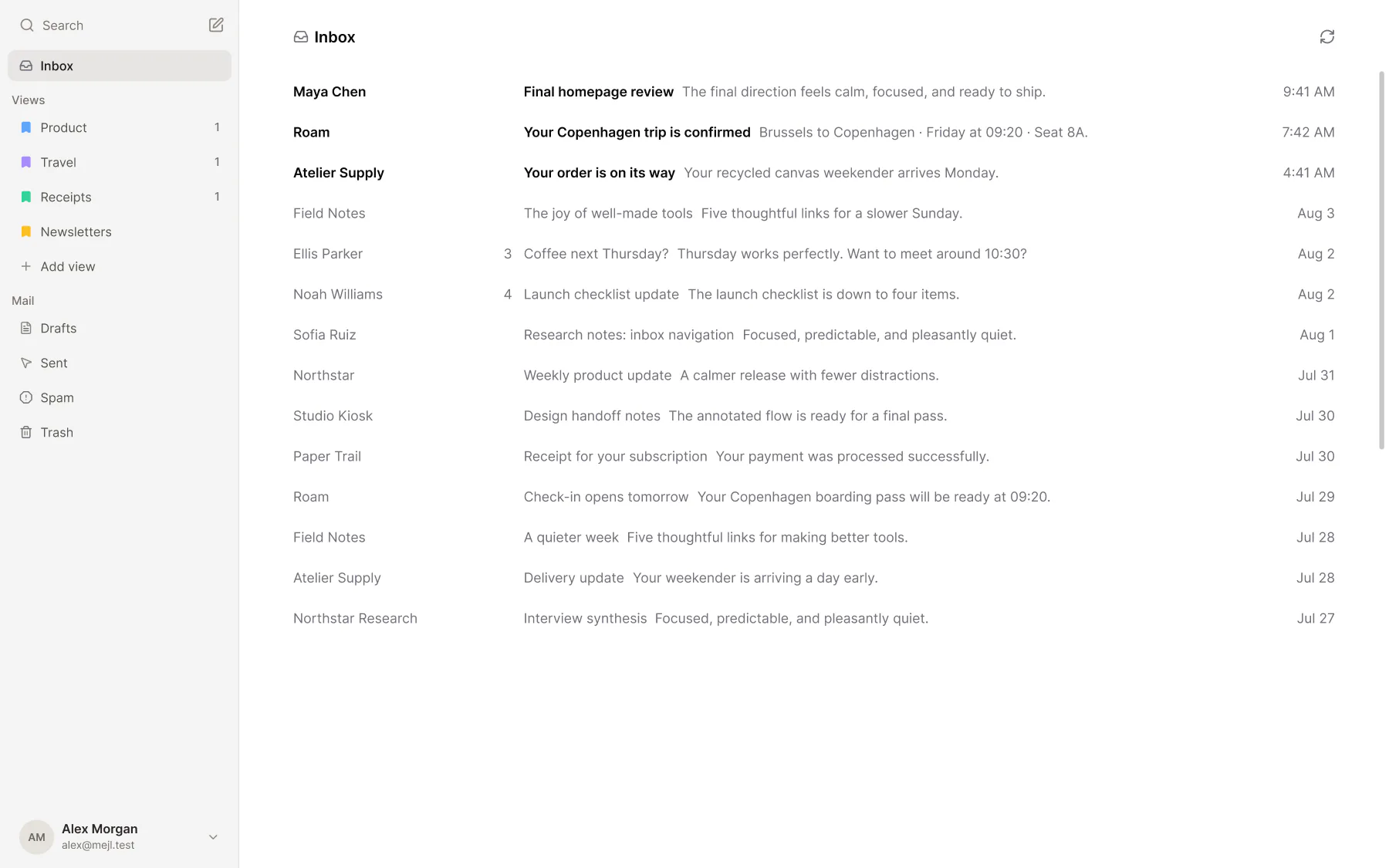
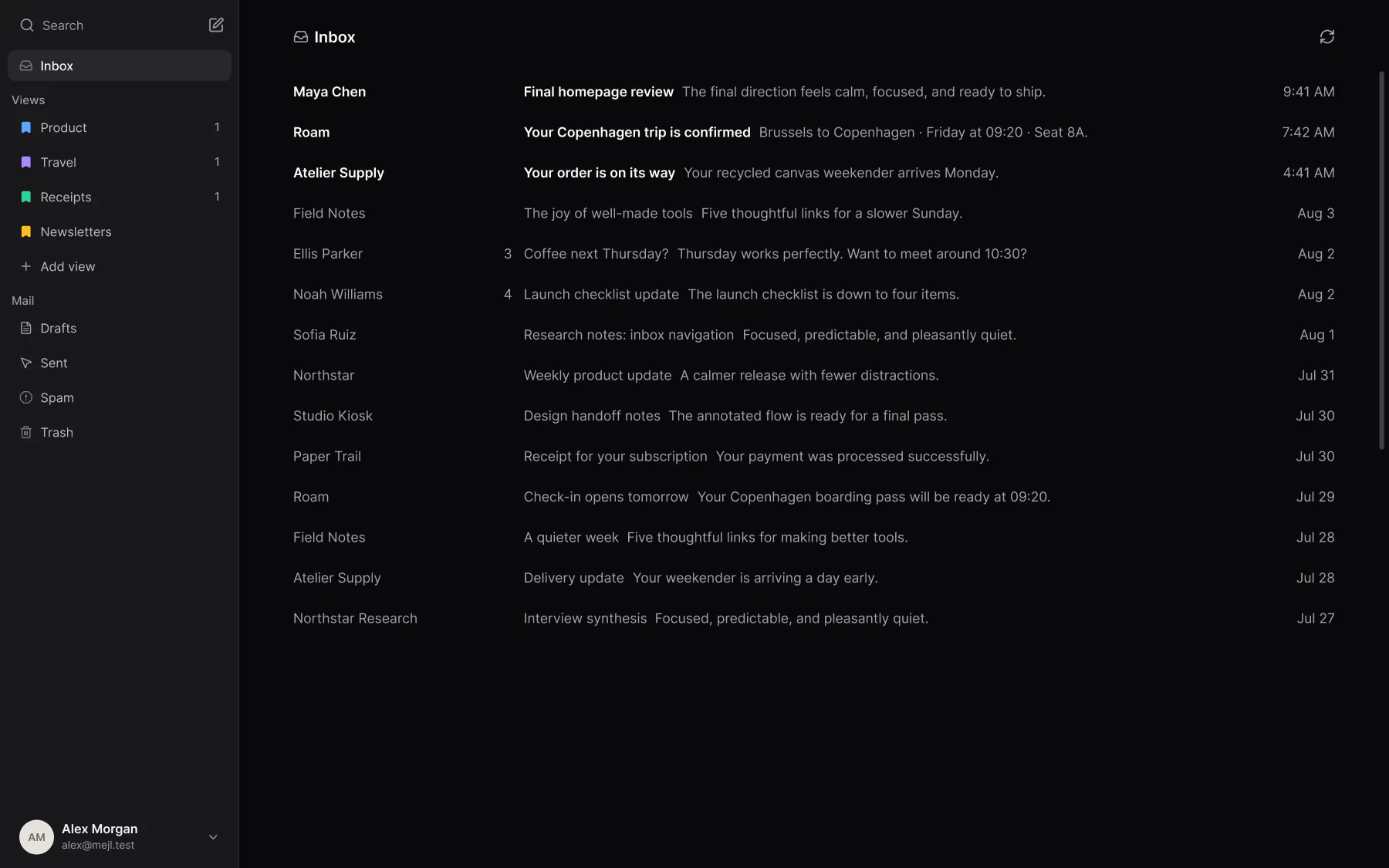
What makes Mejl minimal?
Work, receipts, and newsletters don’t need your attention at the same time. Mejl shows the one you opened and keeps the rest out of the way.
- 01
One kind of mail at a time.
Open Work, Receipts, or Newsletters and read only that. Everything else waits in its own view.
- 02
Only your mail on screen.
Your views and the mail in the one you opened. No ads, no chat, no meetings, and no panel of other apps.
- 03
An inbox you can finish.
Each view has its own unread count. Read it down to zero, and you’re done with that part of your mail.
Mejl vs Gmail: what’s on your screen
Both show the same Gmail account. Here’s what each one puts on your screen. The Gmail rows link to Google’s help pages.
 Gmail | Mejl | |
|---|---|---|
| Your inbox | Gmail One inbox, or up to five fixed category tabs: Primary, Social, Promotions, Updates, and Forums. You can’t create your own. Source: Your inbox | Mejl Views you define, such as Work or Receipts. You open one at a time. |
| Ads | Gmail Shows ads. You can turn off ad personalization, but you may still see ads. Source: Ads | Mejl No ads. |
| Chat and meetings | Gmail A panel on the left switches between Gmail, Chat, and Meet. You can hide Chat and Meet in the settings. Source: Chat and meetings | Mejl Email only. There’s no chat and there are no meetings. |
| Other apps | Gmail A side panel on the right opens Calendar, Keep, Tasks, and other Google apps. You can hide it. Source: Other apps | Mejl No side panel. |
| Where your mail lives | Gmail In your Gmail account. | Mejl In the same Gmail account. Each view is connected to a Gmail label. |
| Price | Gmail Free with a Google account. | Mejl Free. Mejl Plus is an optional AI add-on for $4.99/month. |
Last reviewed November 13, 2026.
Is a minimal Gmail client right for you?
A minimal client does less. Check that it still does what you need.
Mejl is a good fit if…
You use Gmail, find its screen too busy, and want to read one kind of mail at a time without ads, chat, or side panels.
Mejl is not the right fit if…
You use Outlook or IMAP, want chat, meetings, and calendar next to your mail, need one combined inbox for several accounts, or Gmail’s own settings already make it clean enough.
Questions about a minimalist Gmail client
What minimal means, what stays in Gmail, and what Mejl leaves out.
What is a minimalist Gmail client?
A minimalist Gmail client shows your mail and little else. Mejl is one: a separate app for Gmail on the web, iOS, and Android. It shows one group of mail at a time, with no ads, chat, or side panels.
Can I make Gmail itself less cluttered?
Yes, partly. In Gmail’s settings you can hide Chat and Meet, hide the side panel, and choose which category tabs show. That makes the screen quieter, but you can’t create your own tabs. If that’s clean enough for you, you may not need another client.
Is Mejl a Gmail extension or a theme?
No. Mejl is its own app at mejl.cc and on iOS and Android. It doesn’t change the Gmail website. You sign in with Google, and Mejl opens the mail already in your account.
Do I have to move my mail?
No. Your messages, labels, and filters stay in your Gmail account. Each Mejl view is connected to a Gmail label, so your organization keeps working in Gmail if you stop using Mejl.
Is Mejl free?
Yes. The Gmail client is free, with no trial, no time limit, and no credit card. Free includes focused views, unlimited Gmail filter rules, and sorting by description for 10 emails a day. Mejl Plus is optional and costs $4.99/month or $44.99/year. It removes the daily sorting limit and adds thread summaries, writing tools, and reply suggestions.
Does a minimal client have fewer features?
Fewer, on purpose. Mejl covers reading, writing, searching, and organizing Gmail, with a command menu and keyboard shortcuts on the web. It leaves out chat, meetings, and calendar. If you use several Google accounts, you switch between them, because there’s no combined inbox.
Does Mejl support Outlook or IMAP?
No. Mejl works with Gmail and Google Workspace accounts only for now. Your existing messages and labels stay in Gmail.